monday.com brings your event timelines, budgets, vendors, and team coordination together in one AI Workspace - so every event runs on time and every stakeholder stays informed.
Trusted by over 60% of the Fortune 500



One platform connects every event workstream — planning, coordination, and measurement — so your team always knows what's happening and what's next.

Vendor contracts, deliverable deadlines, and budgets live on one connected board - giving your team real-time visibility into spending against targets. AI risk detection flags variance trends before they breach thresholds, and automated approval workflows route budget requests and contract reviews to the right stakeholders automatically. Vendors get access to exactly what they need, without seeing internal operations.

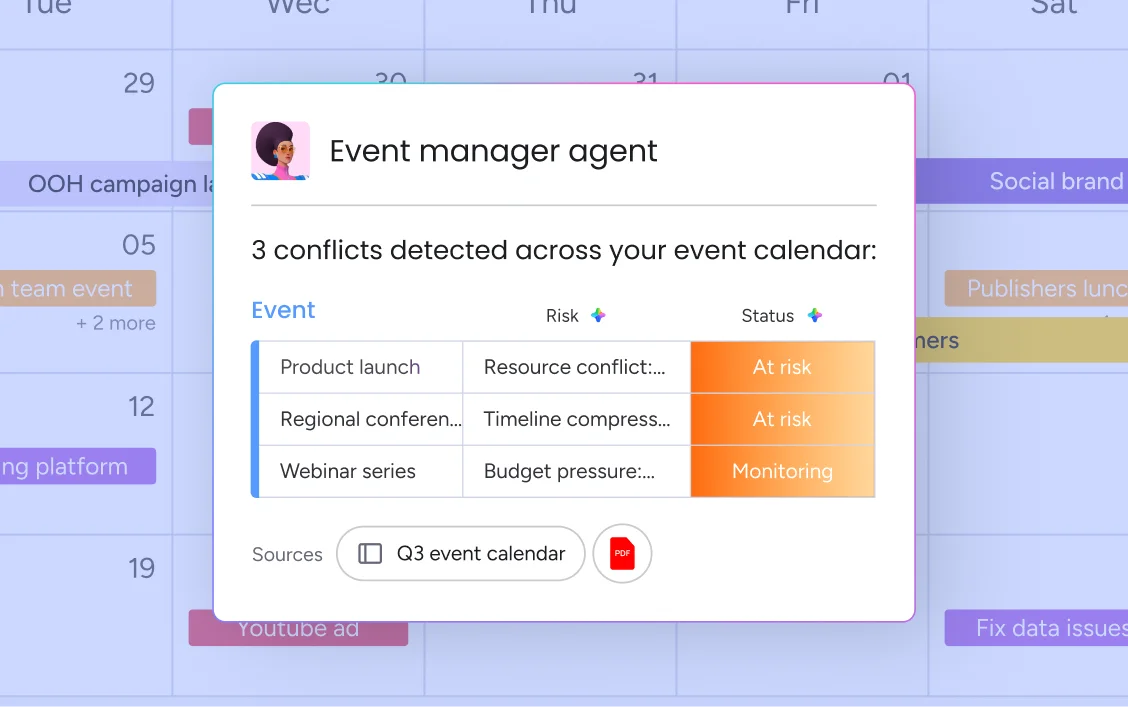
AI risk detection monitors timelines, budgets, and resource allocation across your full event portfolio, flagging issues before they become problems.
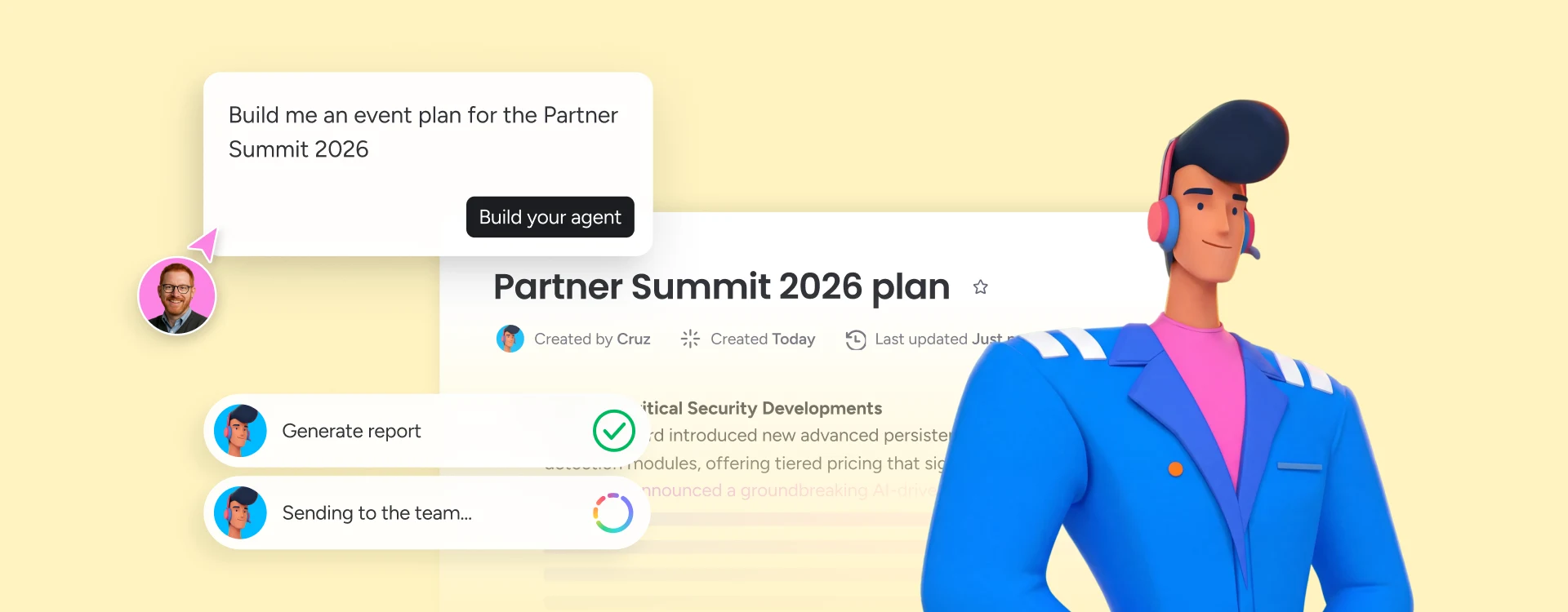
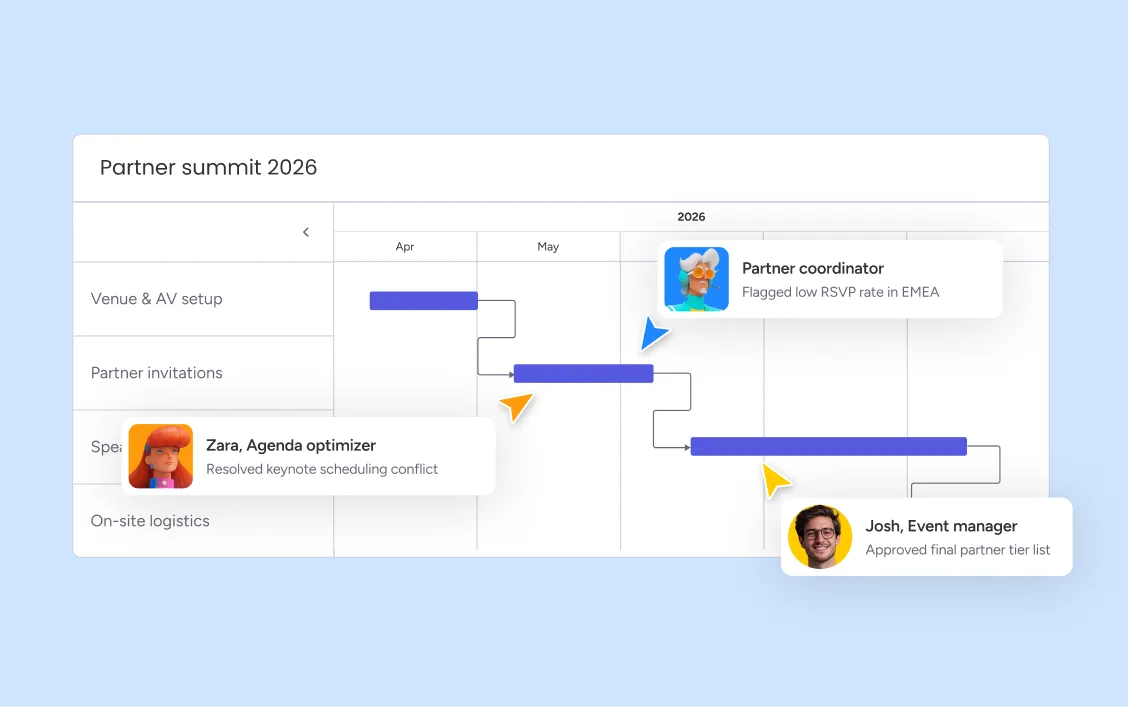
Describe your event to monday sidekick and get a structured plan back in seconds - workstreams, owners, deadlines, and dependencies laid out before your first team meeting. Your team reviews and refines rather than builds from scratch, so everyone starts from shared, accurate context. When plans change, date changes cascade automatically across every dependent item, so nothing downstream gets missed and your plan stays current throughout the entire event lifecycle.
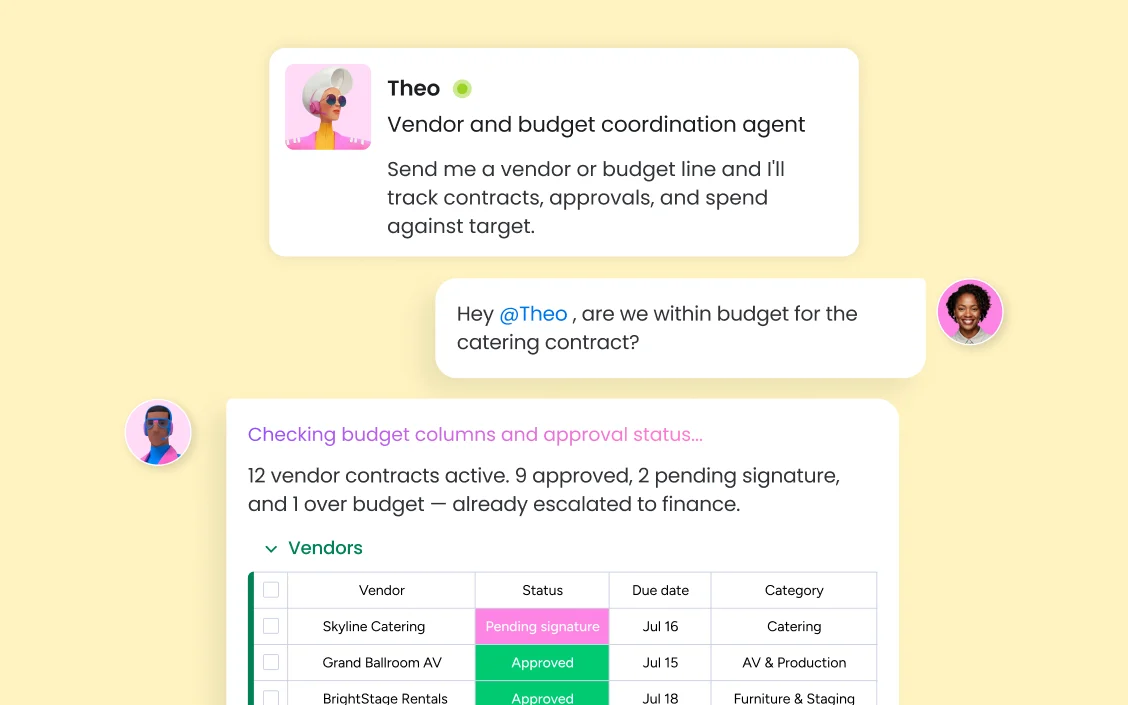
monday.com keeps vendor contracts, deliverable deadlines, and budget columns in one connected board, giving your team real-time visibility into spending against targets. Budget tracking columns update as approvals come in, and AI risk detection flags variance trends before they breach thresholds, so your finance conversations are proactive rather than reactive.Automated approval workflows route budget requests and contract reviews to the right stakeholders, with reminders that escalate overdue items automatically. Vendor coordination boards connect external parties to exactly the information they need, without giving them access to internal operations.
When your team runs multiple events in parallel - product launches, conferences, offsites, and webinar series - monday.com gives you portfolio-level visibility across all of them in one place. AI risk detection scans every event board simultaneously, surfacing conflicts and budget risks before they cascade. With marketing, IT, HR, and legal all working from the same connected workspace, monday agents monitor workstream health and flag issues to the right person the moment they emerge.
monday.com connects your AI workflow automation software to the tools every team runs on. With 850+ integrations - including Slack, Jira, Microsoft Teams, Google Calendar, GitHub, and Salesforce - and MCP support for Claude, ChatGPT, and Copilot, your portfolio data stays connected wherever your teams work.



monday agents intake contract requests, draft review-ready summaries, and flag compliance deadlines before they are missed — keeping legal's event-related workload manageable without constant manual tracking.

monday agents handle scheduling, attendee communications, and follow-up logistics for HR-run events, from company-wide offsites to new hire orientation programs, so HR teams focus on the experience rather than the logistics.

monday agents monitor every event workstream for timeline slippage and resource conflicts, and automatically generate status reports for leadership — so PMO leads spend time on decisions, not on compiling updates.

monday agents track sprint-to-launch dependencies, draft release communications, and coordinate cross-functional sign-offs, keeping engineering, product, and marketing aligned from kickoff to go-live.

monday agents manage campaign brief intake, asset assignment, approval routing, and launch coordination — so marketing teams focus on creative strategy while agents handle operational follow-through.
Start with a monday.com event template or describe your event to monday sidekick and get a structured plan with workstreams, owners, deadlines, and dependencies generated in seconds. Your team reviews and adjusts the plan before any work begins, so everyone starts from shared, accurate context rather than scattered notes.
As your event progresses, monday.com tracks every item across every workstream — automatically surfacing items at risk, flagging deadlines approaching without completion, and alerting the right people before small slippages become major issues. AI risk detection scans across your entire event board, not just individual items, so cross-workstream conflicts get caught early.
When your team runs concurrent events, monday.com provides a portfolio view across all active events — resource availability, budget status, and timeline health in one dashboard. monday agents monitor workstream health continuously, generate status reports automatically, and escalate issues to the right person so your team scales output without scaling headcount.
Build custom event dashboards that aggregate data across all your active events — budget status, timeline health, attendee numbers, and workstream completion rates — in one view leadership can access in real time. Post-event reports generate automatically from board data, ready to share with stakeholders without manual compilation.
Create reusable event checklists with automated triggers that advance items through stages as your event progresses — from planning through execution to post-event wrap-up. Teams build a master checklist template once and reuse it for every event, ensuring consistent execution across the portfolio.
Manage every vendor, speaker, and partner in a dedicated coordination board where contracts, deliverable deadlines, and communication threads are tracked in one place. External stakeholders receive guest access to exactly the items relevant to them, without seeing internal operations.
Switch from board view to a calendar view that shows every event and deadline by date, giving your team and stakeholders a clear picture of what is happening when. The calendar syncs with Google Calendar and Outlook so team members see event milestones alongside their personal schedules.
Set up no-code automations that send vendor reminders, attendee confirmations, and internal status updates on a schedule — or triggered by item status changes. monday.com handles the communication layer automatically, so your team stops chasing updates and starts receiving them.
Track every line item against your event budget in a dedicated column set that updates as approvals come through. Color-coded status indicators show at a glance where spending stands against targets, and automated alerts notify the right stakeholders when a line item approaches its threshold.
Build branded registration forms with WorkForms by monday.com and connect responses directly to your event board. Every submission creates or updates an item automatically, so your team always has an accurate attendee list without manual data entry or spreadsheet imports.
Visualize your entire event schedule on a color-coded timeline that shows every workstream, owner, and deadline at a glance. Teams adjust timelines by dragging items, and dependent dates cascade automatically — eliminating the manual recalculation that costs hours before every major event.

AI agents that monitor every event workstream, surface at-risk items, send stakeholder updates, and coordinate vendor follow-ups — operating continuously so your team focuses on high-value execution.

Your built-in AI assistant that instantly drafts event plans, generates attendee communications, and summarizes post-event data on demand.

Agentic workflows that connect event planning to cross-functional execution — routing approvals, triggering vendor communications, and cascading status updates across departments.

Build custom event apps in minutes — attendee portals, vendor dashboards, live status displays — using simple prompts, without waiting for dev resources.
We replaced a 15-minute screening call with an AI agent that does it in 5 minutes.





It’s the first time we’ve seen a real AI solution that is actually useful.




Event planning requires managing dozens of moving parts — venues, vendors, timelines, and teams — all in sync.
An event budget template helps you estimate costs, track spending, and keep your event financially on track from start to finish.

An event timeline maps every task, deadline, and milestone from first planning meeting to post-event wrap-up.
Event management covers planning, logistics, vendor coordination, and post-event analysis to ensure memorable, well-run events.
The monday AI Workspace supports event scheduling and coordination in several ways: monday sidekick drafts event plans and agendas from a brief, AI risk detection flags timeline conflicts and resource overallocation across your event portfolio, and monday agents automate vendor follow-ups, attendee reminders, and status reporting — continuously, across all your active events. The result is a team that spends more time on strategy and experience, and less time on coordination.
Yes. monday.com is format-agnostic — the same platform handles in-person conferences, virtual webinars, hybrid events, and internal offsites with equal flexibility. Teams customize their boards, forms, and automation workflows to match each event format, and integrations with Zoom, Google Meet, and Microsoft Teams keep virtual coordination connected to the broader event management workflow.
monday.com treats event planning as a project management challenge — with Gantt timelines, resource allocation, budget tracking, and cross-department coordination built in. Every event lives on a structured board where workstreams, owners, deadlines, and dependencies are visible to the whole team. AI agents monitor progress continuously and flag risks, so event managers spend their time on decisions rather than status checks.
Event planning software typically focuses on pre-event logistics — building timelines, creating agendas, and coordinating vendors. Event management software covers the full lifecycle: from initial planning and registration through live execution, stakeholder communication, and post-event analysis. monday.com handles both, connecting planning and management in one platform so teams never lose context between phases.
Event management software pricing varies widely — from free tiers for small teams to enterprise contracts for large organizations. monday.com offers a Free plan (up to 2 seats), along with Basic, Standard, Pro, and Enterprise tiers priced per seat per month. The right plan depends on team size, the number of events you manage, and the AI and automation capabilities you need. monday.com's free plan is available with no credit card required.
monday.com offers a free plan for up to 2 seats, giving small teams access to boards, views, and basic automation for event coordination. Paid plans unlock advanced features including AI capabilities, monday agents, automated workflows, and portfolio dashboards — with pricing starting at accessible per-seat rates for teams of any size.
monday.com is the AI Workspace where event teams and AI agents coordinate every workstream — from initial planning through post-event reporting — in one connected workspace. Unlike point solutions focused on ticketing or registration alone, monday.com connects event management to the full organization, with AI risk detection, automated workflows, and cross-department visibility that event-specific software cannot match. Around 250,000 teams, including 60%+ of the Fortune 500, already run their work on monday.com.
AI event management software is a platform that uses artificial intelligence to automate, coordinate, and optimize event planning and execution. It handles tasks like timeline planning, budget tracking, attendee communication, vendor coordination, and post-event reporting — reducing the manual overhead that typically consumes event teams. monday.com's AI Workspace goes further, connecting event management to every department involved — marketing, operations, IT, and HR — in one shared workspace where people and AI agents work together.