See exactly how your team's capacity is allocated across every project, in real time. AI agents automatically balance workloads, surface overallocation, and match the right people to the right work before delivery is impacted.
Trusted by over 60% of the Fortune 500



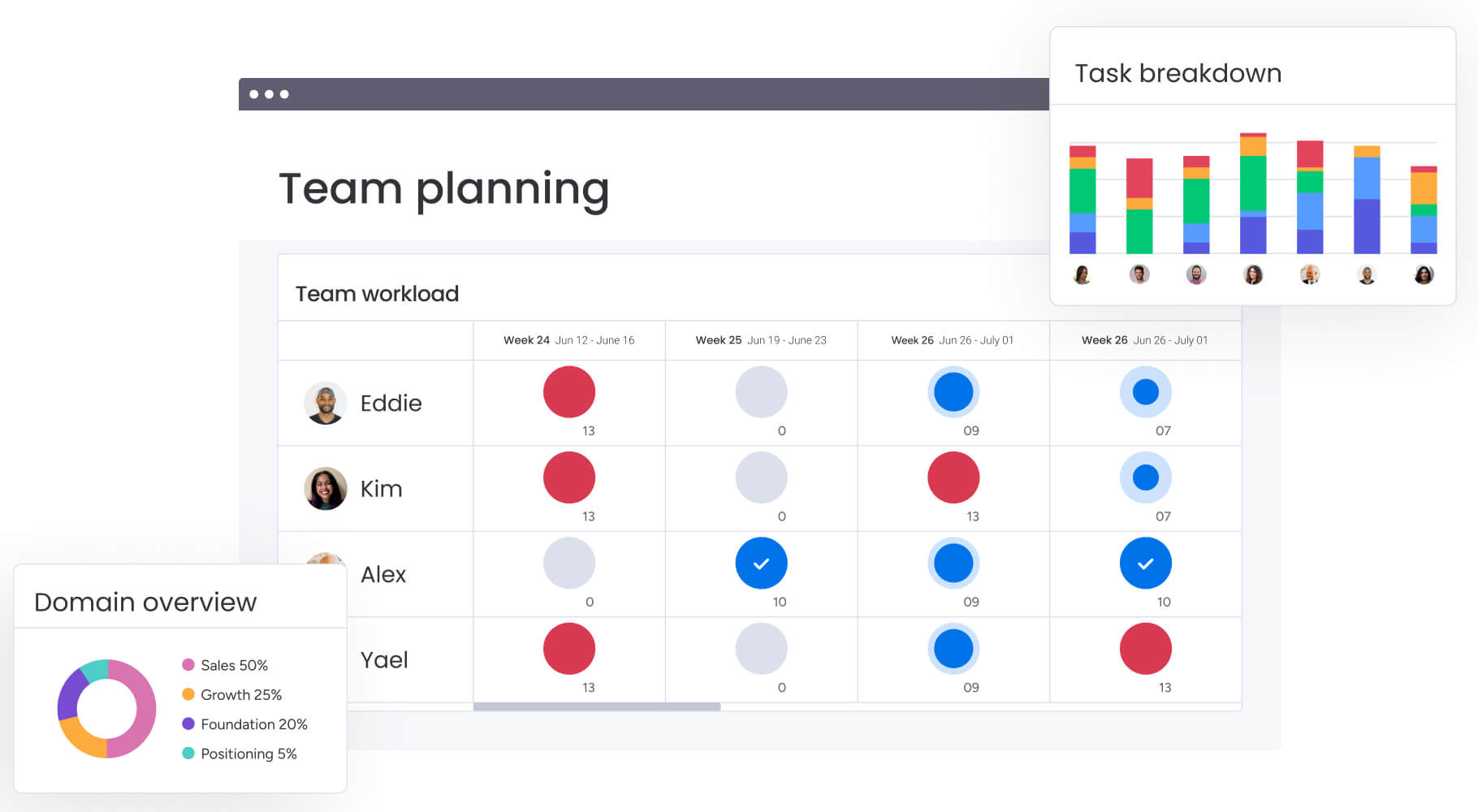
The Workload View shows exactly how resources are allocated across every active project in real time — color-coded by capacity so managers can instantly spot who is overloaded, who has bandwidth, and where to rebalance before burnout or delays occur.

AI-powered demand forecasting analyzes current workloads, upcoming project pipelines, and historical patterns to surface capacity gaps weeks before they impact delivery with automated resource conflict alerts.

Make smarter resource decisions with full cross-team context — the only resource management platform where agents see how capacity connects across marketing, IT, product, HR, sales, and operations simultaneously, all in one shared workspace.
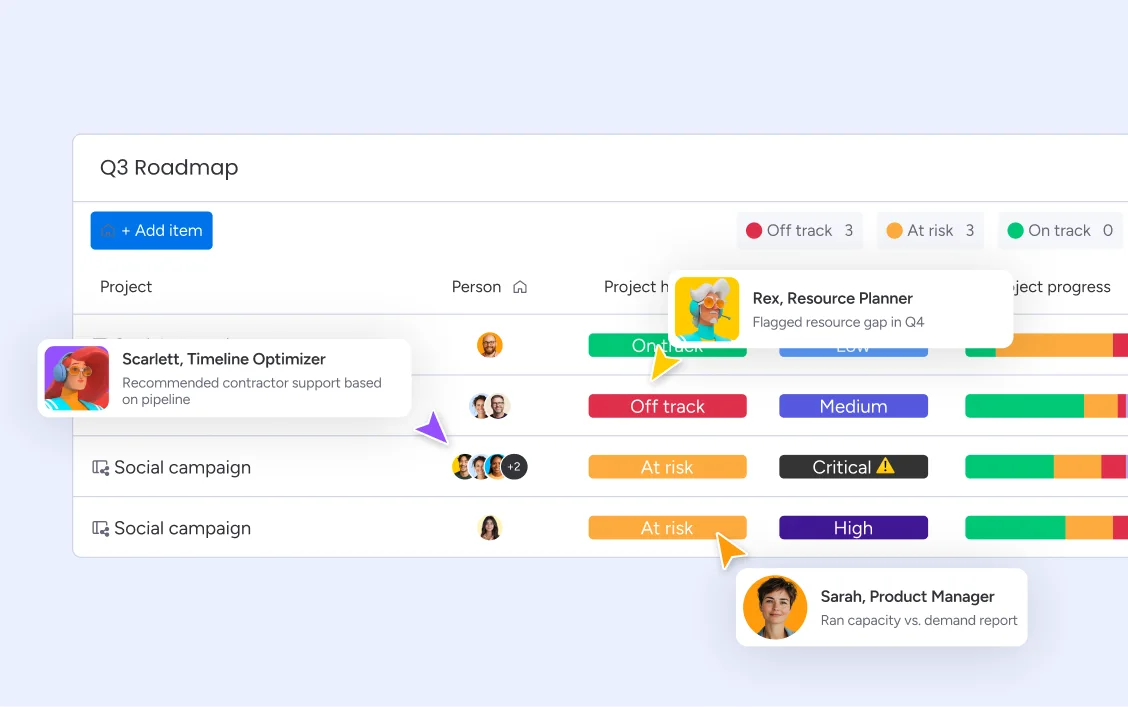
The Smart Assigner and Workload Balancer agents run resource management autonomously. Smart Assigner matches incoming work to the right team member based on role, skills, and real-time availability, without a manager manually reviewing every assignment. Workload Balancer continuously monitors capacity across all active projects and redistributes work automatically.
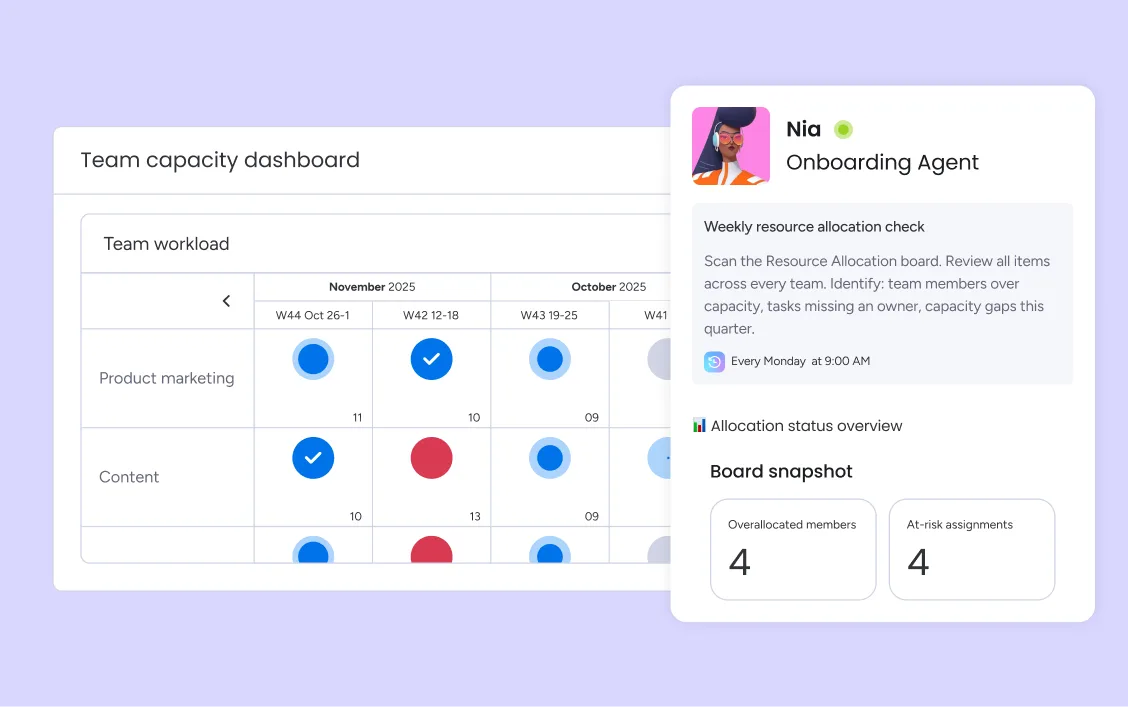
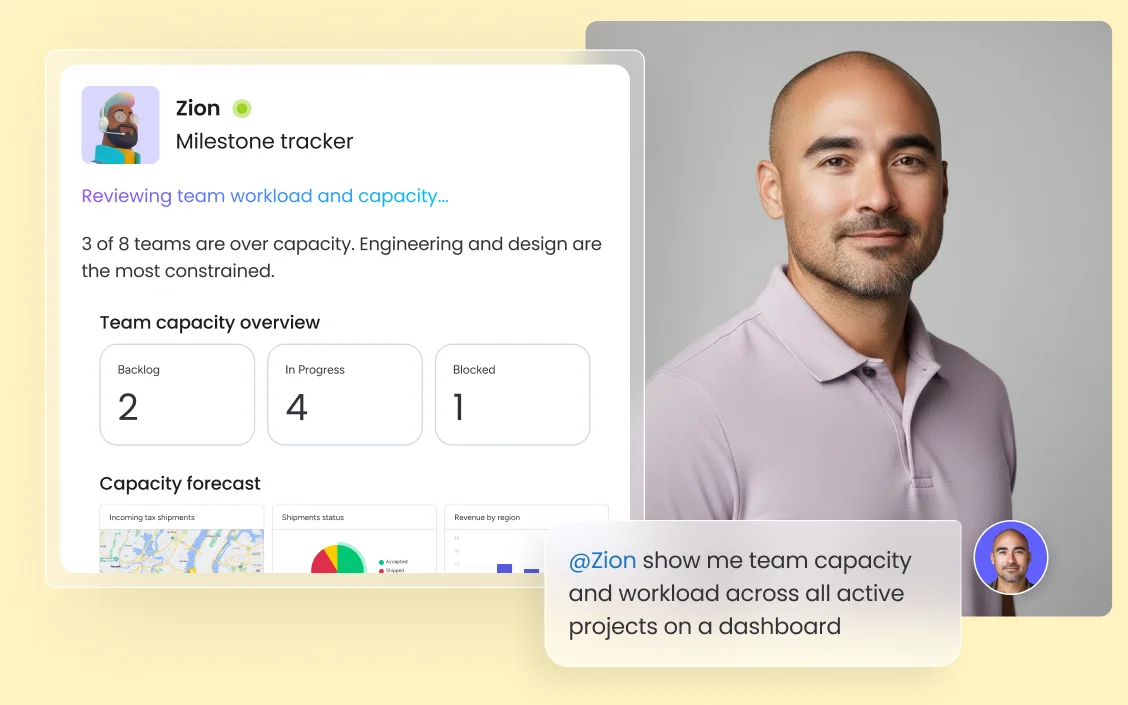
AI-powered demand forecasting analyzes current workloads, upcoming project pipelines, and historical patterns to surface capacity gaps weeks before they impact delivery. Automated resource conflict alerts notify managers when a team member is approaching overallocation — with enough lead time to adjust assignments, shift timelines, or plan additional resource needs. Capacity planning tools give every team and department a forward-looking view of available bandwidth, so resource decisions are based on data rather than gut feel.
The Smart Assigner agent surfaces the best-fit team members for each project based on skills, current workload, and availability — so managers make faster allocation decisions without reviewing every team member's capacity manually. Adjust assignments directly on the workload view with drag-and-drop, without switching tools or updating separate spreadsheets.
monday.com connects your AI workflow automation software to the tools every team runs on. With 850+ integrations - including Slack, Jira, Microsoft Teams, Google Calendar, GitHub, and Salesforce - and MCP support for Claude, ChatGPT, and Copilot, your portfolio data stays connected wherever your teams work.



The Workload View maps counsel capacity across every active matter — so legal team leaders can see who is at capacity, redistribute work before deadlines slip, and plan for peak demand periods without a manual spreadsheet.

AI demand forecasting and capacity planning tools give HR teams a forward-looking view of recruiting pipeline demand and onboarding workload — so resource gaps are surfaced early and team capacity is never the reason a hire falls behind.

The portfolio-level workload view gives PMO leaders real-time visibility into how resources are allocated across every active initiative — with AI conflict alerts surfacing overallocation before it cascades into missed milestones.

Smart Assigner matches sprint work to the right engineers based on skills and availability, while Workload Balancer flags capacity conflicts across concurrent projects before they delay release commitments.
Workload view and AI resource recommendations keep your marketing team balanced across campaigns, launches, and content programs — surfacing overallocation before deadlines slip and ensuring high-priority work is always staffed.
Describe your team structure and projects to monday sidekick and it builds your boards, timelines, and assignments automatically. From there, the Workload View pulls everything into a single capacity view — so you can see who is over capacity, who has bandwidth for new work, and where workloads are unbalanced, without manual data entry or spreadsheet audits.
AI-powered demand forecasting analyzes your active workload, upcoming project pipeline, and historical patterns to surface capacity gaps before they affect delivery. Set capacity thresholds and automated resource conflict alerts notify managers when a team member is approaching overallocation — with enough lead time to adjust before the impact reaches a deadline.
monday agents — Smart Assigner and Workload Balancer — automate resource allocation by matching incoming work to the best-fit team member and rebalancing assignments automatically when capacity shifts. Drag-and-drop resource scheduling lets managers make manual adjustments directly on the workload view, and no-code resource workflow builder lets teams set up custom allocation rules without engineering support.
A single resource view that spans every department — marketing, IT, product, HR, operations — in one shared workspace. Managers and PMO leaders can identify cross-department capacity conflicts and make resourcing decisions with full organizational context, not just one team's data.
Track actual time spent against estimated capacity directly on project boards — so resource planning is grounded in real utilization data, not assumptions. Time tracking feeds back into demand forecasting to continuously improve the accuracy of future capacity plans.
Schedule resources across multiple concurrent projects in one view — with drag-and-drop assignment adjustments, timeline visibility, and cross-project dependency mapping that shows how resource shifts in one initiative ripple into another.
Real-time alerts notify managers when a team member is approaching or exceeding capacity thresholds — with enough lead time to adjust before overallocation affects delivery. Alerts route to the right person with full context already attached.
Analyzes current workloads, upcoming project pipelines, and historical patterns to surface capacity gaps weeks before they impact delivery — so teams can plan additional resources, adjust timelines, or redistribute work before constraints become blockers.
AI surfaces the best-fit team members for each project or task based on skills, current workload, and availability — so managers make faster, better-informed allocation decisions without manually reviewing every team member's capacity.
Get a forward-looking view of available bandwidth across every team and department — mapped against your upcoming project pipeline. Set capacity thresholds, model different resourcing scenarios, and identify gaps weeks before they affect delivery.
A real-time visual map of every team member's allocation across all active projects. Managers can instantly spot overloaded and underutilized team members and drag-and-drop assignments to rebalance without leaving the board.

Smart Assigner and Workload Balancer run resource allocation autonomously — matching work to the right people and rebalancing capacity across projects without manual intervention.

Your AI assistant that summarizes team capacity, drafts resource allocation recommendations, and surfaces workload risks — right inside your workspace.

Build automated resource workflows — capacity alerts, assignment triggers, and escalation notifications — without code.

Create custom resource dashboards and capacity planning apps for your team in minutes, without engineering support.
We replaced a 15-minute screening call with an AI agent that does it in 5 minutes.





It’s the first time we’ve seen a real AI solution that is actually useful.



Resource allocation in project management is the process of identifying, assigning, and managing assets — including people, budget, tools, and time — for project needs.

Learn how to create a resource management plan to allocate resources effectively. Discover the key benefits and see a step-by-step guide.

Resource leveling optimizes project schedules by balancing resource demand, preventing overallocation, and keeping timelines on track.

PMO resource management aligns projects, people, and capacity to maximize efficiency and delivery at scale.
Resource management software ranges from free plans to enterprise pricing. monday.com offers a free plan for up to 2 seats with no credit card required. Paid plans start at $9/seat/month (Basic), $12/seat/month (Standard), and $19/seat/month (Pro), billed annually. AI capabilities including Smart Assigner, Workload Balancer, workload view, and AI demand forecasting are available on Standard and above. Contact sales for Enterprise pricing.
monday.com is the best AI resource management software because it runs on the platform where around 250,000 organizations already execute their work — so AI agents have real cross-department context spanning marketing, IT, product, HR, and operations simultaneously. The Smart Assigner and Workload Balancer agents automate allocation and rebalancing autonomously, while AI demand forecasting and automated conflict alerts surface capacity risks before they affect delivery. No standalone resource tool can match that organizational context.
monday.com uses AI for resource planning through Smart Assigner, which matches incoming work to the best-fit team member based on skills and current availability, and AI-powered demand forecasting, which analyzes workload patterns and project pipelines to surface capacity gaps weeks in advance. The result is resource planning that shifts from reactive — fixing overallocation after it happens — to proactive, preventing it before delivery is affected.
monday.com prevents overallocation through three layers: the Workload View shows real-time capacity utilization so managers can spot overloaded team members before deadlines slip. Automated resource conflict alerts notify managers when a team member is approaching their capacity threshold; and monday agents' Workload Balancer automatically redistributes assignments when overallocation is detected - without waiting for a manager to intervene.
Resource management is tactical - it focuses on assigning specific people to specific work right now. Capacity planning is strategic - it looks ahead to forecast whether you have enough resources to meet future demand. Both are essential, and monday.com supports both: the workload view handles day-to-day resource allocation, while AI-powered demand forecasting surfaces capacity gaps weeks before they become delivery risks.
Resource scheduling software maps team members' availability and skills against project timelines and task requirements - showing managers exactly who is available, when, and for how long across all active work. monday.com's resource scheduling view lets managers assign work with drag-and-drop, see conflicts in real time, and let AI agents automatically rebalance assignments when capacity shifts.
The four core types are: resource planning - identifying what resources are needed and when, resource allocation - assigning the right people to the right work, resource scheduling - mapping assignments across timelines and projects, and resource forecasting - predicting future capacity needs based on demand. monday.com supports all four through the Workload View, AI resource allocation recommendations, drag-and-drop scheduling, and AI-powered demand forecasting.
Resource management software helps teams plan, allocate, and track the people and capacity needed to deliver projects on time. It gives managers real-time visibility into who is working on what, surfaces overallocation before it impacts delivery, and ensures the right skills are matched to the right work. monday.com is the AI Workspace where resource management runs inside the same workspace as project execution — so allocation decisions are always based on current, accurate data.